

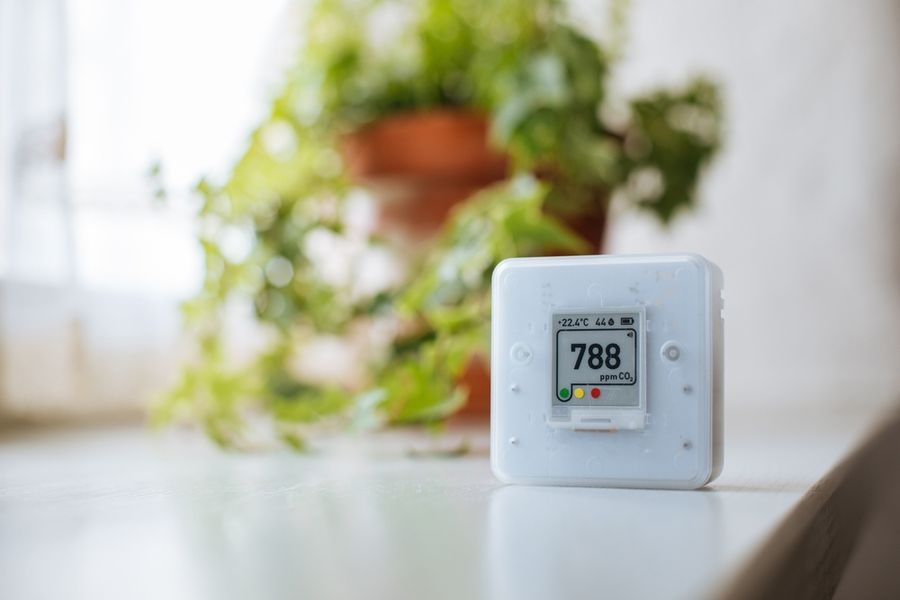
Portable, wall-mounted, and desktop air quality monitors often list similar features, yet they can create very different routines. Renters need a device that fits temporary spaces, moves easily between homes, and keeps useful readings simple to check. Battery life, mounting options, display clarity, and setup demands matter more than a crowded feature list. The right choice should work well now without becoming a burden after the next move.
What Mattered Most in the Rankings
A monitor may look impressive on paper, but renters need to know how well it fits everyday life. The rankings gave the most weight to practical concerns: whether the device can run on batteries, sit on a desk or mount on a wall, and reconnect easily after a move.
The screen and app also had to make the readings useful. Clear displays, accessible history, and simple data exports earned more credit than vague claims about accuracy. Smart-home features only helped when they added real convenience without demanding a complicated setup. When two models were closely matched, the easier one to move and restart ranked higher.
Air Quality Monitors Ranked at a Glance
All five provide live readings and some form of digital data access, but their daily fit changes with power and placement. Will the display remain useful when the monitor moves from a bedroom wall to a temporary desk?
|
Rank |
Model |
Best Fit and Practical Setup |
Current Price |
|---|---|---|---|
|
1 |
Airthings View Plus |
Best for moving between homes. Runs on six AA batteries or USB-C, works on a desk or wall, and provides an e-ink display with Wi-Fi app access. |
|
|
2 |
Aranet4 Home |
Best for travel and quick CO₂ checks. Uses two AA batteries, has a readable e-ink screen, and connects to its app through Bluetooth. |
|
|
3 |
Qingping Air Monitor Lite |
Best for a color desktop display. Uses a rechargeable battery or USB-C and supports the Qingping+ app and Apple Home. |
|
|
4 |
IKEA ALPSTUGA |
Best for Matter-based homes. Requires USB-C power and a Thread Border Router for phone control. |
|
|
5 |
AirGradient ONE |
Best for local data control. Uses USB-C power, supports desk or wall placement, and connects locally with Home Assistant. |
#1 Airthings View Plus: Best for Moving Between Homes
View Plus ranks first because it can stand on a surface or mount on a wall. Six AA batteries support cable-free placement, while USB-C power enables its hub function. The e-ink screen can show four chosen values, and Wi-Fi sends readings to the Airthings app.
The unit measures radon, PM2.5, carbon dioxide, VOCs, temperature, humidity, and pressure. Its product page documents the seven sensors and smart-home links.
Pros
- Battery or USB-C power supports shelves, desks, and renter-friendly wall placement.
- IFTTT, Alexa, Google Assistant, and Homey support useful air-triggered routines.
Cons
- Typical battery use is shorter than the two-year low-power maximum.
- A new home calls for a reset, and CO2 or VOC readings need time to stabilize.
Choose it for broad monitoring that can move without losing its screen or app access. The trade-off is added battery and settling-time management.
#2 Aranet4 Home: Best for Frequent Travel
Aranet4 Home is well suited to checking ventilation in apartments, offices, hotels, and short-term rentals. It measures carbon dioxide, temperature, humidity, and atmospheric pressure using an NDIR carbon dioxide sensor. Readings appear on a power-efficient e-ink screen, and the device operates on batteries without cables or Wi-Fi.
Bluetooth is optional and is used when connecting the monitor to the Aranet Home app. The app provides current readings, charts, alerts, measurement history, adjustable sampling intervals, and CSV or XLSX data exports. Some history limits depend on the device settings.
Pros
- Battery-powered operation makes the monitor easy to carry between rooms and accommodations.
- The e-ink screen shows readings without requiring a phone or internet connection.
Cons
- It does not provide PM2.5, VOC, or radon readings.
- App access depends on a nearby Bluetooth connection rather than built-in Wi-Fi.
Choose it when portable carbon dioxide monitoring and a clear stand-alone display matter most. Its narrower sensor range is the main trade-off.
#3 Qingping Air Monitor Lite: Best for Readable Desk Display
Qingping Air Monitor Lite measures PM2.5, PM10, carbon dioxide, temperature, and humidity. Its OLED screen uses a color indicator and lets users switch between readings. Qingping states that all five measurements refresh every second.
The rechargeable battery lasts up to seven hours, and Qingping recommends keeping the monitor connected to USB-C power for regular use. Apple Home supports remote readings and automations when the household has a HomePod or Apple TV serving as a home hub. The product does not currently support Mi Home through its normal American or European regional servers.
Pros
- The OLED screen and color indicator make several readings easy to check from the desk.
- Its rechargeable battery allows short periods of use away from an outlet.
Cons
- Qingping recommends continuous power because the battery lasts only up to seven hours.
- The manufacturer’s U.S. store currently marks the model sold out.
The product works best as a plugged-in desktop monitor rather than a full-day portable device. Apple Home users also need a compatible home hub for remote access and automation.
#4 IKEA ALPSTUGA: Best for Matter Automations
ALPSTUGA is a compact desktop choice for renters already building a Matter-based home. It measures carbon dioxide, PM2.5, temperature, and humidity, and its display can also serve as a clock.
Matter over Thread supports systems from Amazon, Apple, Google, Homey, and Samsung. That broad platform list gives renters more freedom to change smart-home brands after a move.
Pros
- Matter compatibility reduces dependence on one smart-home brand.
- The small display covers core ventilation and particle readings at a glance.
Cons
- A Thread Border Router is required for phone control.
- The USB-C cable and power adapter are sold separately.
Choose ALPSTUGA when automation matters more than cable-free travel. Its maintenance burden is low after setup, but every new room still needs a nearby outlet and compatible Thread network.
#5 AirGradient ONE: Best for Open Local Control
AirGradient ONE serves renters who prefer local dashboards and flexible automation over simple portability. The current generation measures PM2.5, carbon dioxide, TVOCs, NOx, temperature, and humidity.
Its open-source design provides further control for advanced setups. It can sit on a desk or mount on a wall, and Home Assistant can receive readings locally without a cloud connection.
Pros
- Local Home Assistant support enables private, detailed automations.
- Wall and desk placement suit both permanent and temporary rooms.
Cons
- Continuous USB-C power makes it a poor choice for travel checks.
- Its Wi-Fi setup excludes 5 GHz-only networks and captive portals.
Move this model ahead when local data ownership and automation depth outweigh convenience. Renters must accept more network work, especially when a new home requires fresh Wi-Fi settings.
Decide Between Spot Checks and Long-Term Trends
A monitor that moves often is useful for comparing bedrooms, work areas, and temporary rentals. However, readings become harder to compare when the device changes height, room size, airflow, or distance from windows and vents.
A fixed monitor is better for tracking patterns over time and triggering automations. Renters should decide whether they need quick room checks or a stable record before giving portability too much weight.
Prepare the Monitor for the Next Move
Before changing homes, export any useful history and note where the monitor was placed. This makes it easier to separate a true air-quality change from a difference caused by the new room or setup.
Check whether the device must be reset, reconnected to Wi-Fi, or added to a new hub after moving. A model that stores data clearly and reconnects without a complicated process may be more useful to renters than one with extra sensors but heavier setup demands.
Frequently Asked Questions
Can one monitor move between rooms?
Yes, but frequent moves weaken long-term comparisons. Keep the device in one spot long enough to learn that room’s normal pattern before changing locations.
Do smart air monitors need Wi-Fi?
Not always. Aranet4 Home works as a stand-alone display and uses Bluetooth for app access. Other models rely more heavily on Wi-Fi, Thread, or a hub.
Is a wall mount better than a desktop setup?
A wall mount protects a monitor from bumps and keeps placement consistent. Desktop models are easier to pack, reposition, and take to the next rental.
A Better Fit for the Home You Have Now
The best air quality monitor is not always the one with the most sensors. Renters gain more from a model that fits the space, stays easy to read, and can move without creating a new setup problem. Before choosing, confirm how the monitor is powered, whether it needs a hub, and how easily it can reconnect after the next move.