

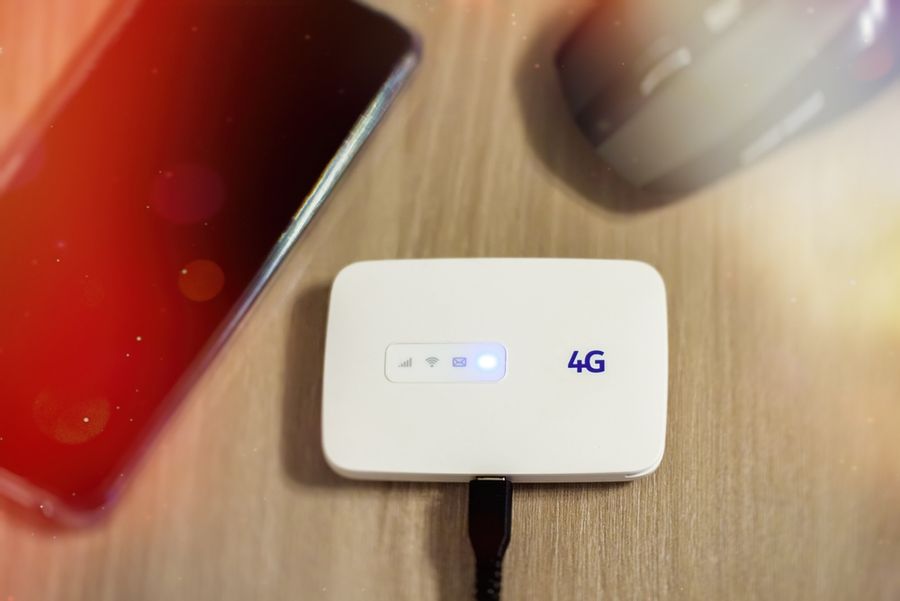
A portable travel router can connect a laptop, phone, tablet, and streaming device through one hotel login, which can make a crowded network much easier to manage. The bigger challenge comes after the first setup. Captive portals can expire, weak signals can drop, and hotel networks may demand another sign-in. A router that restores access cleanly and reconnects without repeated troubleshooting can save more time than one that simply advertises faster Wi-Fi speeds.
What Mattered Most in the Rankings
A travel router needs to stay useful when hotel Wi-Fi drops or sends you back to a login page. Models scored higher when they could remember networks, reconnect after an interruption, and make captive-portal problems easier to fix.
Ease of setup came next, along with Ethernet support and a size that works well in a travel bag. Advertised speed still mattered, but only after the router proved practical on the unstable networks travelers often face.
Portable Travel Routers Ranked at a Glance
|
Rank |
Option |
Best For |
Current Price |
|---|---|---|---|
|
1 |
GL.iNet Beryl AX |
Frequent hotel changes |
|
|
2 |
GL.iNet Slate 7 |
On-device setup |
|
|
3 |
TP-Link TL-WR1502X |
Simple app control |
|
|
4 |
GL.iNet Slate AX |
Wired work setups |
|
|
5 |
GL.iNet Opal |
Basic shared Wi-Fi |
#1 GL.iNet Beryl AX: Best for Frequent Hotel Changes
Beryl AX earns the first position because it combines a compact body with GL.iNet’s current repeater tools. Firmware version 4.6 and later can enter a public-hotspot login mode when the router reaches hotel Wi-Fi but not the internet. Saved-network settings can also allow the router to switch when the current connection disappears.
The router includes a 2.5-gigabit WAN port, a gigabit LAN port, USB-C power, and Wi-Fi 6. That gives travelers the option to use hotel Ethernet instead of repeating a weak wireless signal. Its browser-based controls offer more settings than a basic travel router, though first-time users may need several minutes to learn the layout.
Pros
- Current repeater software can detect public-hotspot login problems and reconnect to saved networks.
- The 2.5-gigabit WAN port supports fast wired hotel connections when Ethernet is available.
Cons
- Captive portals may still require MAC cloning or help from hotel staff.
- The detailed admin panel takes longer to learn than a guided mobile app.
Beryl AX fits travelers who change hotels often and want more control when connections fail. Its stronger recovery tools matter more than its headline wireless speed.
#2 GL.iNet Slate 7: Best for On-Device Setup
Slate 7 suits travelers who would rather check connection status on the router itself. Its touchscreen can display network information and provide quicker access to common controls. That can help when the phone used for setup is also struggling to reach the hotel login page.
The model supports GL.iNet’s current repeater system, including public-hotspot login mode and automatic attempts to restore a lost upstream connection. Two 2.5-gigabit Ethernet ports also support wired backhaul and a wired work device at the same time. The trade-off is a larger, heavier body with higher power needs than smaller Wi-Fi 6 models.
Pros
- The touchscreen reduces dependence on a phone or laptop for basic status checks.
- Two 2.5-gigabit ports support both hotel Ethernet and a wired client device.
Cons
- The 295-gram body takes more bag space than the Beryl AX.
- Its higher power demand makes a suitable USB-C adapter or power bank important.
Move Slate 7 ahead when the touchscreen and dual high-speed ports will simplify daily use. Travelers focused on minimum size may prefer a lighter model.
#3 TP-Link TL-WR1502X: Best for Simple App Control
The TL-WR1502X is a strong fit for travelers who want guided setup rather than a deep router dashboard. TP-Link’s Tether app handles configuration, and the product supports router, hotspot, access-point, client, range-extender, USB-tethering, and USB-modem modes.
TP-Link also provides a one-step captive-portal process during router setup. Once personal devices have joined the router’s own network, the company states that they can reconnect automatically on later use. Two gigabit Ethernet ports allow a wired hotel connection or a direct link to a work laptop.
Its controls are less flexible than GL.iNet’s OpenWrt-based interface, which may matter to travelers using advanced VPN or failover rules.
Pros
- The Tether app guides users through several hotel and travel connection modes.
- One-step portal authentication avoids signing in separately on every connected device.
Cons
- The interface provides fewer advanced recovery controls than GL.iNet firmware.
- A hotel may still block the router or require another portal login after access expires.
Choose this model when quick setup matters more than detailed network control. It is easier to approach, but less customizable when a hotel connection behaves unusually.
#4 GL.iNet Slate AX: Best for Wired Work Setups
Slate AX provides three gigabit Ethernet ports, making it useful in hotel rooms with a wired jack and several work devices. A traveler can connect the router to Ethernet, keep a laptop wired, and still create a private Wi-Fi network for phones and tablets.
It also supports GL.iNet’s current captive-portal and repeater recovery features when running compatible firmware. Saved settings reduce repeated VPN work, and the router supports both OpenVPN and WireGuard.
Its retractable antennas and larger casing make it less compact than Beryl AX. Setup also relies on the browser panel rather than the touchscreen found on Slate 7.
Pros
- Three gigabit ports support hotel Ethernet and more than one wired device.
- Saved network and VPN settings reduce repeated configuration between stays.
Cons
- The larger body and external antennas take more room in a compact work bag.
- The web controls require more setup effort than a guided phone app.
Slate AX deserves attention when wired ports matter more than minimum size. Its extra hardware is less useful in hotels that provide only weak wireless service.
#5 GL.iNet Opal: Best for Basic Shared Wi-Fi
The GL.iNet Opal covers the basics without adding many advanced controls. It can connect to hotel Wi-Fi, create a separate network for your devices, and provide three Ethernet ports. That makes it useful for travelers who want to sign in once instead of reconnecting every phone, tablet, and laptop.
Its main drawback is older repeater support. Opal does not include GL.iNet’s newest public-hotspot login and automatic recovery tools. Captive portals can still work, but fixing a failed connection may require manual steps such as changing DNS settings, cloning a device address, or restarting the router.
Pros
- Three Ethernet ports provide useful flexibility for a basic hotel setup.
- The compact router can share one hotel login with several personal devices.
Cons
- It does not support GL.iNet’s latest repeater recovery options.
- Portal problems may require manual DNS changes, MAC cloning, or a reboot.
Opal fits straightforward stays where the hotel network remains stable. Repeated drops or expiring portals expose the limits of its older software.
Why Recovery Matters More Than Peak Speed
Hotel internet sets the upper limit on real performance. A router capable of very high local speeds cannot repair a slow upstream connection. It can, however, determine how much time the traveler loses when that connection drops.
Clean recovery deserves more weight than a small speed advantage. A router that remembers the hotel network, detects a blocked login, and reconnects without rebuilding every setting is more useful during a work trip than a faster model requiring repeated troubleshooting.
GL.iNet documents automatic reconnection attempts and switching among saved networks on supported models. TP-Link emphasizes one-step portal authentication and automatic client reconnection.
Choose Around the Hotel Connection
Choose Beryl AX or Slate 7 when wireless recovery and portal troubleshooting are likely to matter. Slate 7 adds easier on-device checks, while Beryl AX takes less room and uses less power.
Move Slate AX ahead when hotel Ethernet and several wired devices are central to the setup. Choose the TP-Link model when a guided app matters more than advanced controls. Opal makes more sense for occasional use on networks that rarely drop or demand repeated authentication.
Keep Every Device Easier to Manage
A travel router should make hotel connectivity simpler, not add another layer of troubleshooting. Choose one that matches the hotel connections you usually encounter and the amount of control you want. Before buying, check its ports, power needs, and setup process.